

Table of Contents
- What actually happened to Coinbase Commerce
- This was never just a plugin problem
- What the Coinbase WooCommerce plugin looks like today
- What to look for in a replacement
- Coinbase Commerce alternatives compared
- How to migrate from Coinbase Commerce to CryptoPay
- One last thing: get your funds out
- Final thoughts
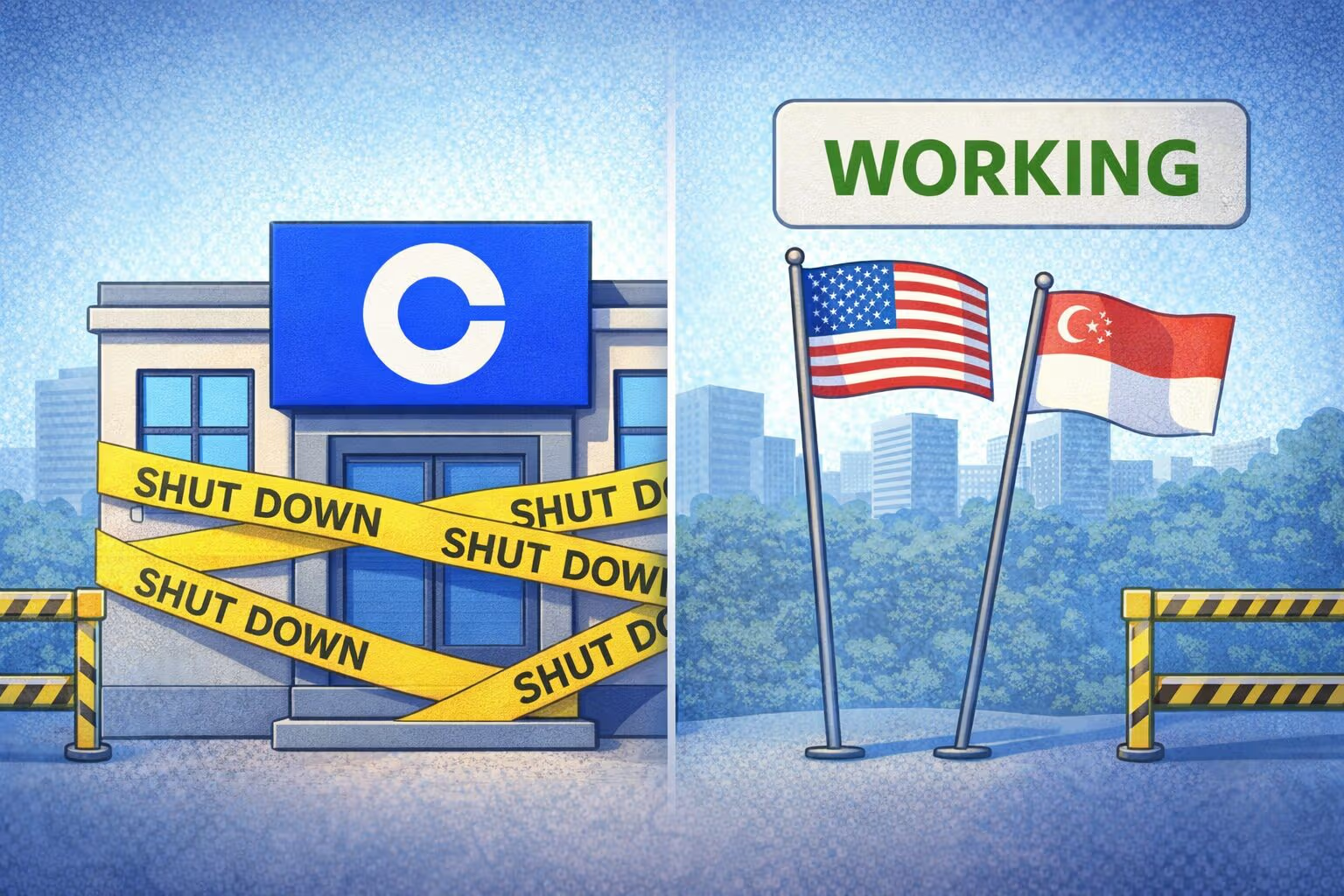
Hello everyone, today we will talk about Coinbase Commerce alternatives for WooCommerce. Not because the plugin is buggy, and not because the support forum went quiet. We are talking about it because the product is gone. Coinbase Commerce was shut down on March 31, 2026, and if your store is outside the United States or Singapore, nothing was offered to replace it.
If you are reading this after your checkout stopped working, you are not alone. Several thousand merchants built their crypto payment gateway on Coinbase Commerce, and most of them were international. This article explains exactly what happened, what Coinbase replaced it with, and which crypto payments options actually make sense now.
What actually happened to Coinbase Commerce
This is not a rumour, and it is worth reading it in Coinbase’s own words rather than a competitor’s summary.
On its help pages, Coinbase states that if you are based outside the United States or Singapore, Coinbase Business is not yet available in your region, and that you needed to transition to an alternative provider before March 31, 2026 if you wanted to keep accepting crypto payments. Coinbase says it is expanding to additional countries throughout 2026, but no date was given. The shutdown itself is permanent, and no extensions were offered.
So the situation for an international merchant on March 31 was simple: your cryptocurrency payment gateway stopped, and the official upgrade path was not available to you.
Coinbase’s reasoning is honest, at least. The company explains that Commerce was built for an earlier phase of crypto, when buyers spent volatile assets and merchants self-custodied their own funds, and that the market has shifted. Businesses today, Coinbase argues, expect custody, compliance, cash-out and operational tooling. The replacement product, Coinbase Business, is described by Coinbase as stablecoin-first, custodial and compliant.
Coinbase even acknowledges that some merchants valued the self-custodial, any-asset nature of Commerce.
We think that sentence is the whole story. Coinbase did not kill Commerce because self-custody stopped working. It killed Commerce because self-custody is not the business Coinbase wants to be in.
This was never just a plugin problem
For a couple of years, the WooCommerce community read this as a maintenance issue. The official Coinbase Commerce plugin sat in the directory with its support forum untouched for years, threads stacking up with no reply, and the usual complaints: orders stuck on processing, no compatibility updates, no answers. Everyone assumed a big company had simply forgotten about a small plugin.
That reading was wrong. The plugin was not neglected. It was on a product that Coinbase had already decided to retire.
This matters for how you choose the next one. If you replace Coinbase Commerce with another custodial gateway, you have not solved anything — you have just moved the same dependency to a different company. The provider still holds your money, still decides which coins you may accept, still requires KYC, and can still make a strategic decision that ends your checkout with a few months’ notice.
The lesson from March 31 is not “pick a better gateway.” It is stop giving a third party custody of your revenue.
What the Coinbase WooCommerce plugin looks like today
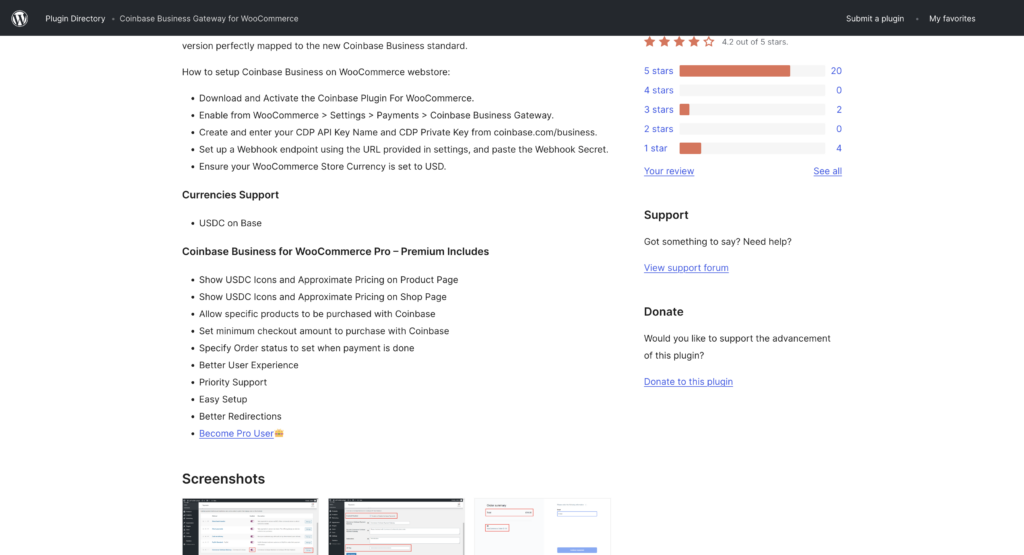
There is still a Coinbase plugin in the WordPress.org directory, and it is worth looking at closely, because it shows what the new model actually means for a store.
The plugin is now called Coinbase Business Gateway for WooCommerce. It is a third-party plugin, not built by Coinbase, and it has around 800+ active installations. Its 2.0.0 changelog is refreshingly blunt about the migration: it has been transitioned from the Coinbase Commerce API to the new Coinbase Business APIs, and it now carries a notice that your WooCommerce store currency must be set to USD and that customers will pay with USDC on Base.
Read the supported currency list on that plugin page and it is a single line: USDC on Base.
Let us be clear about what that means in practice for a merchant:
- Your store must be priced in USD. If you sell in EUR, GBP, TRY, or anything else, that is not a settings tweak. That is your entire catalogue.
- Your customers can pay in exactly one asset on exactly one network. No Bitcoin. No Ethereum on mainnet. No Tron, no Solana, no anything else.
- Coinbase holds the funds. Business is custodial by design.
- You need a US or Singapore business to use it at all.
Custody risk here is not theoretical either. The same plugin listing carries a 1-star review from July 2024 from a merchant reporting that customers paid in USDC, the funds did not arrive in his own wallet, he could not withdraw from the dashboard, and over $2,000 in USDC was blocked with no response from support. That review predates the Business transition, so we are not presenting it as a complaint about the current product — but it is a very clean illustration of what “someone else holds your money” looks like on a bad day.
So the honest summary is: for most WooCommerce stores on earth, the Coinbase path in 2026 is not a downgrade. It is a closed door.
What to look for in a replacement
Before the comparison table, here are the five questions we would ask about any Coinbase Commerce alternative. They are ordered by how much pain they cause when you get them wrong.
- Custodial or non-custodial? Does the money land in your wallet, or in the provider’s? This is the question that produced March 31.
- Is there KYC? If the provider can verify you, the provider can also de-verify you.
- What is the real cost? Not the headline percentage. The service fee, plus conversion fee, plus how many network fees end up on your side, plus payout fees.
- How many networks and coins? A gateway that supports one asset on one chain is a gateway that can be switched off in one decision.
- Who controls the plugin’s future? An open, self-contained WordPress plugin cannot be sunset by a corporate strategy meeting in another country.
Coinbase Commerce alternatives compared
All figures below are from each provider’s published documentation as of July 2026. Fees change — check the source before you commit.
| Custody | KYC | Service fee | Networks / coins | WooCommerce plugin | |
|---|---|---|---|---|---|
| CryptoPay | Non-custodial (P2P, direct to your wallet) | None | 0% — one-time license, no cut of sales | All EVM networks by default + Bitcoin, Solana, Tron, TON, XRP Ledger, Sui via add-ons. Unlimited tokens on supported chains | Yes, first-party + 16 other plugin integrations |
| NOWPayments | Custodial or non-custodial flow | Yes | 0.5% single-currency, 1% multi-currency / fixed-rate | 350+ | Yes |
| CoinGate | Custodial | Yes | 1%, plus payout fees | ~70 | Yes |
| BTCPay Server | Non-custodial | None | 0% | Bitcoin-focused, limited others | Yes |
| Coinbase Business | Custodial | Yes | — | USDC on Base only | Third-party only, US/Singapore only |
A few notes on the fine print, because the headline number is never what you pay.
NOWPayments publishes a 0.5% service fee, which is genuinely low. But their own documentation describes the non-custodial flow honestly: the customer pays a network fee to the deposit address, then the funds move to internal processing (network fee two), then out to your wallet (network fee three). Three network fees per order, plus the commission. Their docs also state that if a customer’s wallet or exchange deducts its own fee on sending, the resulting underpayment is entirely the user’s side to fix — which, in practice, means it is your support ticket.
CoinGate is MiCA-licensed and its 1% is transparent, which is a real advantage for EU merchants who need a regulated fiat-settling partner. But the payout layer stacks: per CoinGate’s published pricing, a standard payout costs €0.50 + 0.5%, fiat conversion payouts run €0.50 + up to 1.5%, and SWIFT withdrawals carry a 0.5% fee with a €50 minimum. At a low average order value and weekly settlement, the payout fees can rival the transaction fee itself.
BTCPay Server is the honest 0%. It is also a server you have to run, sync, secure and maintain. If you have a technical team and Bitcoin-heavy volume, it is excellent. If you are a shop owner who wants a plugin, it is a second job.
Why CryptoPay is the closest replacement
We build CryptoPay, so read this section with that in mind — but the fit here is not a coincidence.
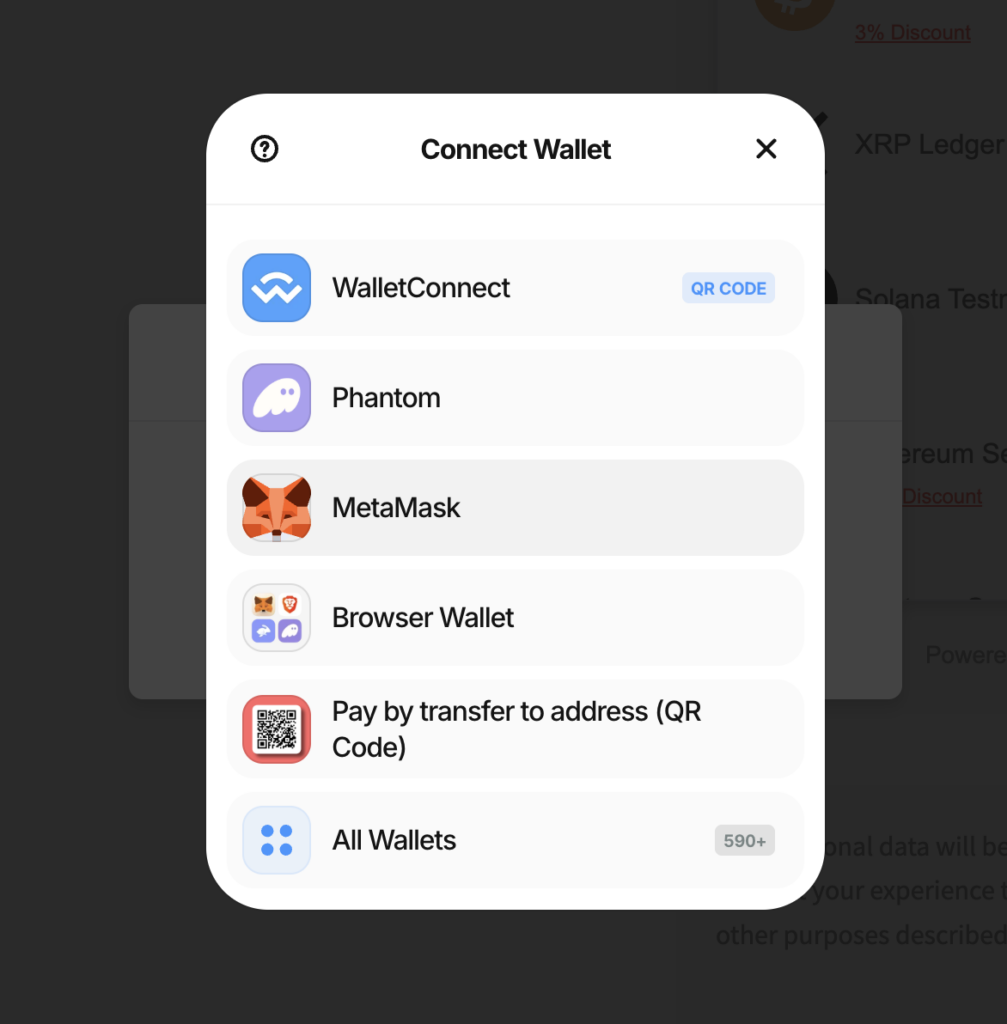
The thing merchants actually liked about Coinbase Commerce was the self-custodial, any-asset part. Coinbase said so itself. That is precisely what CryptoPay is: the customer pays from their own wallet, straight to yours, on-chain, peer-to-peer. There is no deposit address in the middle, no processing hop, no payout queue. The only cost in the transaction is the network fee the customer pays — because there is no third party to take a cut.
There is no KYC, because there is nobody to verify you to. There is no account to freeze, because there is no account.
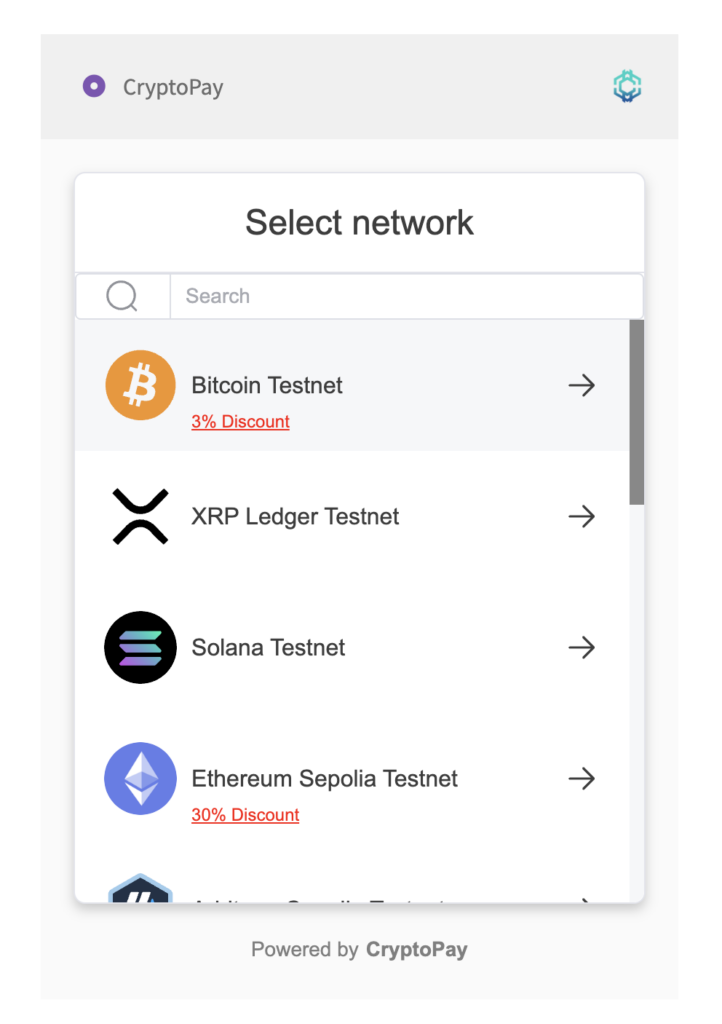
On coverage, CryptoPay supports all EVM networks by default, which already covers most of what Commerce did, and network support add-ons extend it to Bitcoin, Solana, Tron, TON, XRP Ledger and Sui. Within each supported network you can accept any token, so the list is not a list — it is a chain.
And your store currency stays your store currency. Pricing is converted at checkout through your choice of rate source — CoinGecko, CoinMarketCap, Moralis or Open Exchange. Nobody is going to tell you to reprice your catalogue in USD.
How to migrate from Coinbase Commerce to CryptoPay
The good news about a non-custodial gateway is that migration is mostly deletion. There is no account to open and nothing to verify.
- Deactivate and delete the Coinbase plugin. Whichever one you were running. Leaving a dead gateway installed is a support-ticket generator.
- Install CryptoPay. Start with the free WooCommerce Cryptocurrency Payment Gateway by CryptoPay from WordPress.org if you want to test first, or go straight to premium.
- Enter your wallet address. This is the step that replaces the entire Coinbase Commerce onboarding: sign-up, verification, seed phrase, backup, dashboard. One field.
- Pick your networks. Enable the EVM chains you want, add network support add-ons for Bitcoin, Solana, Tron, TON, XRP Ledger or Sui as needed.
- Choose a converter API so your existing prices stay in your existing currency.
- Place a small test order on a cheap network and confirm the funds land in your wallet and the order completes.
If you would rather not touch any of it, our Plugin Installation Service covers the setup, or you can just get in touch.
One last thing: get your funds out
If you still have a Coinbase Commerce balance sitting somewhere, read this part carefully, because it is the one thing on this page with no workaround.
Coinbase recommended that merchants holding Bitcoin or other UTXO-based assets use the Commerce withdrawal tool before March 31, 2026, and after that deadline the Commerce merchant portal goes offline permanently. Coinbase also states plainly that if you do not have your seed phrase and did not back it up, it cannot recover your funds — Commerce wallets were self-custodial by design, and Coinbase never held the keys.
If that describes you, contact Coinbase support directly and do it now. The withdrawal tool is gone with the portal — what is left is your seed phrase, or an email to their transition team.
There is a certain irony here that we will let stand on its own: the self-custody that Coinbase is retiring is also the reason it cannot help you.
Final thoughts
Coinbase Commerce did not fail. It was retired, because a public company decided that custody, compliance and stablecoin rails were a better business than letting merchants hold their own keys. That is a completely rational decision for Coinbase. It is just not a decision you had any part in.
That is the actual lesson of March 31, 2026. Not “the plugin was bad.” The plugin was fine. The dependency was bad.
Whatever you choose next — CryptoPay, BTCPay, or something we have not mentioned — pick the option where nobody else’s roadmap can turn off your checkout. If the money goes straight to your wallet and there is no account for anyone to close, the question of what your gateway does in 2027 stops being your problem.
If you want to see what that looks like, the Lite version is free and takes about five minutes.
WooCommerce Cryptocurrency Payment Gateway for WordPress by CryptoPay
You can also look at our other crypto payment gateway comparisons: CryptAPI Alternatives, Pay With MetaMask Alternatives, and Speed Alternatives.